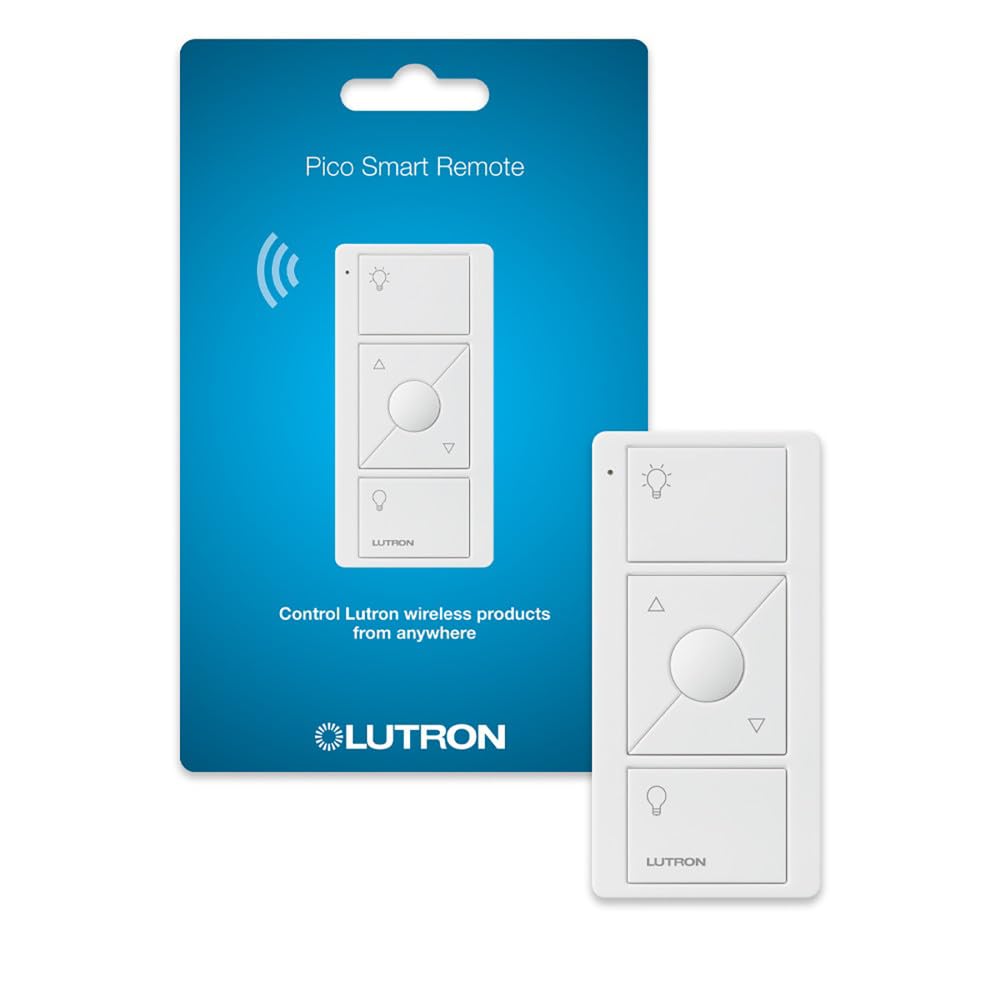
The Lutron Pico remote is a small, battery-powered controller designed to work with Lutron’s Caseta smart lighting system. It’s not a standalone device; you need a Caseta smart bridge and at least one compatible dimmer or switch to use it. The remote is meant to be mounted on a wall (with an optional bracket) or kept on a table, and it provides a convenient way to control lights from multiple locations without running new wiring. In this review, we’ll look at what the Pico remote does, how it performs in real-world settings, and where it might not be the best fit.
From a functional standpoint, the Pico remote offers three buttons: on, off, and a middle button for preset dimming levels. It communicates with the Caseta system via Lutron’s proprietary Clear Connect RF technology, which is known for its reliability and range. The remote is powered by a CR2032 coin cell battery that Lutron says lasts up to 10 years, though that depends on usage. It’s available in white, black, and light almond to match different wall plates. The remote can be paired with multiple Caseta devices, and you can also use it to trigger scenes if you have the smart bridge. It’s worth noting that the Pico remote does not work with other smart home systems directly; it’s part of the Lutron ecosystem.
In practice, the Pico remote shines in situations where you have a single light fixture controlled by multiple switches, like at the top and bottom of stairs, or in a room with multiple entry points. Instead of hiring an electrician to run traveler wires, you can mount a Pico remote on the wall and program it to control the same dimmer. The remote’s buttons have a satisfying click and are easy to find in the dark, thanks to a slight tactile difference between the on/off and preset buttons. The range is impressive; Lutron claims up to 30 feet through walls, and in our tests, it worked reliably from across a large room and through a couple of interior walls. The battery life is a plus, as you won’t need to change it often.
However, there are some limitations. The Pico remote is not a smart device on its own; it requires the Caseta Smart Bridge to integrate with app control or voice assistants. Without the bridge, it can only control Caseta dimmers directly, which might be fine for some but limits its flexibility. Also, the remote does not provide feedback on the current dim level; you have to look at the light itself. The middle button can be programmed to a specific dim level, but that’s done through the app, so you need the bridge for that customization. Another trade-off is the price: at around $20-$25, it’s more expensive than some generic remote controls, but you’re paying for the Lutron reliability and ecosystem integration.
Compared to other smart remotes, like the Philips Hue dimmer switch or the Sengled Smart Light Switch, the Pico remote is unique in that it doesn’t require a hub to control lights directly (if you have Caseta dimmers), but it also doesn’t offer the same level of integration with other smart home platforms. The Hue dimmer, for example, works with Hue bulbs and can be configured via the Hue app, but it also needs the Hue Bridge for advanced features. The Pico’s advantage is its simplicity and reliability; it just works, and the battery lasts for years. But if you’re looking for a remote that can control devices from multiple brands, the Pico won’t do that.
Who is this for? It’s ideal for someone who already has a Caseta system and wants to add a second (or third) control point without rewiring. It’s also good for renters who can’t modify electrical wiring but want a wall-mounted remote that looks like a switch. It’s not for someone who doesn’t have a Caseta setup, as it won’t work with other systems. Also, if you’re looking for a remote with a display or advanced features like scene control without a hub, this isn’t it. The Pico remote is a niche product, but within its niche, it performs well.
In terms of build quality, the remote feels solid and well-made, with a matte finish that resists fingerprints. The wall bracket (sold separately) is easy to install and holds the remote securely. One minor annoyance: the remote doesn’t have a physical switch to disable the buttons, so if you mount it on a wall, it could be accidentally pressed. But the buttons require a deliberate press, so it’s not a major issue.
Overall, the Lutron Pico remote is a practical accessory for Caseta users. It solves a specific problem—adding a control point without wiring—and does so reliably. The limitations are mainly around ecosystem lock-in and the need for additional components to unlock full functionality. If you’re already invested in Caseta, it’s a worthwhile addition. If you’re not, there are other options to consider.