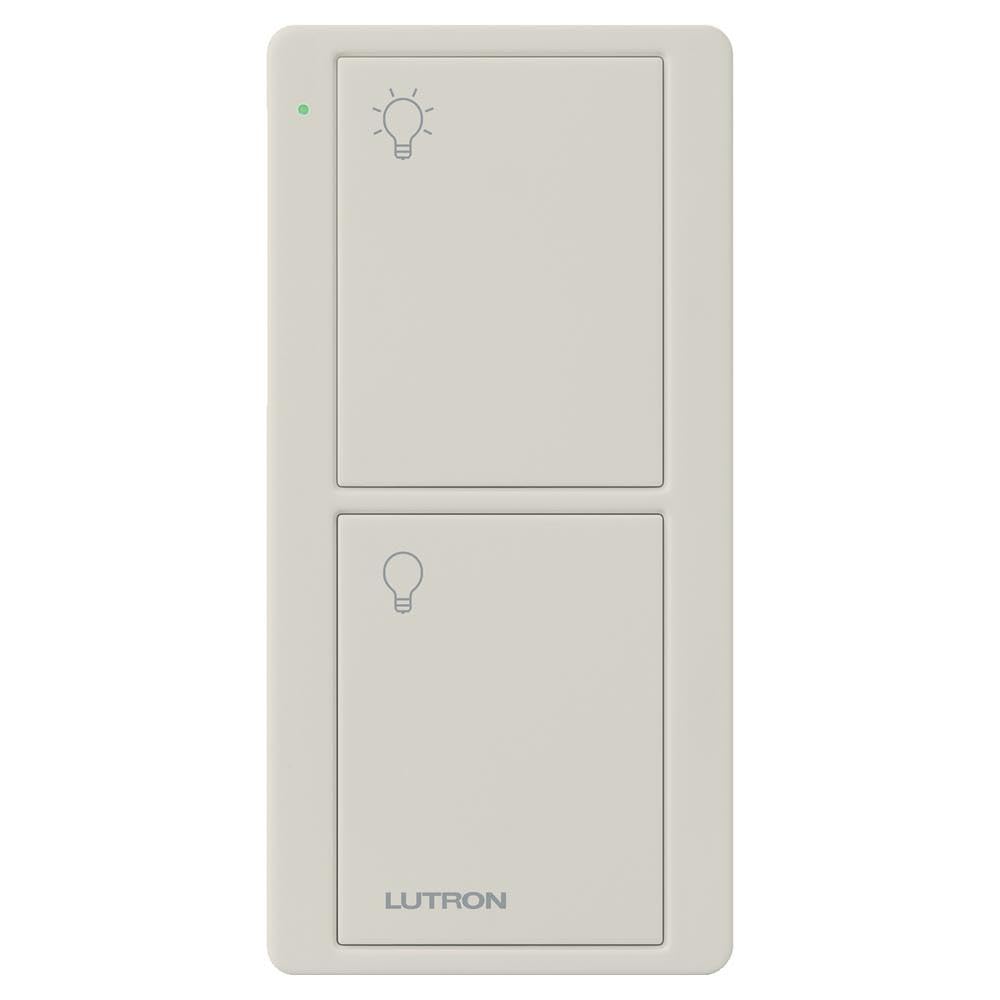
The Lutron Pico remote is a small, battery-powered controller designed to work with Lutron’s Caseta smart lighting system. It offers a straightforward way to add a second (or third, or fourth) point of control for a Caseta switch or dimmer without running new wiring. This particular model, the PJ2-2B-GLA-L01 in light almond, is a two-button remote that handles on/off only—no dimming. It can sit on a tabletop using an optional pedestal, or be mounted on a wall with a bracket. In practice, it’s the kind of accessory that solves a specific problem: you’ve installed a Caseta switch, but the existing switch location is inconvenient, or you want a remote by the bedside or on a coffee table.
Functionally, the Pico remote is about as simple as it gets. Two buttons: one for on, one for off. A small LED indicator blinks when the battery is low (the remote uses a CR2032 coin cell, which Lutron rates for about 10 years of typical use). The remote communicates wirelessly with the Caseta Smart Bridge (the central hub required for most Caseta setups). Range is respectable—Lutron claims up to 30 feet, and in a typical home, that’s usually enough to cover a room or adjacent hallway. The remote can be paired to a single Caseta device or to multiple devices (like a group of lights) through the app. It does not require a direct line of sight to the switch, which is a plus for hiding it in a drawer or mounting it on a wall.
One of the more practical aspects is its flexibility in placement. The remote itself is quite small—about the size of a car key fob—and lightweight. Without any mounting accessory, it can easily be lost in couch cushions. Lutron sells a tabletop pedestal (L-PED1) and a wall-mount bracket (PICO-WBX-ADAPT) separately, which adds to the cost. The wall bracket allows it to fit into a standard decora-style wall plate, making it look like a built-in switch. That’s a clean solution for adding a second switch location without drywall work. However, the remote does not come with either mount, so you’ll need to factor that in.
In real-world use, the Pico remote shines in situations where you want a physical button without pulling out a phone. For example, placing one on a nightstand to turn off a lamp across the room, or mounting one at the top of basement stairs to control a light below. It’s also handy for elderly family members or guests who aren’t comfortable with an app. The buttons have a tactile click and are easy to find by feel. The light almond color is a close match to standard almond switches, though it may not blend perfectly with all decor.
As for limitations, the biggest one is that this two-button model only does on/off. If you want to dim lights, you’ll need the four-button version (PJ2-4B) which includes raise/lower buttons. Also, the Pico remote is not a standalone switch—it requires a Caseta Smart Bridge and at least one Caseta switch or dimmer to control. Without the bridge, it’s just a plastic shell. That’s an important caveat: this is not a universal remote; it’s part of a closed ecosystem. Additionally, the remote does not report its status back to the app (e.g., if you press the button, the app may not immediately reflect the change unless you have the bridge and the device is within range). It’s a one-way communication for control, not a two-way status monitor.
Compared to a traditional wireless switch kit (like those from Leviton or GE that use a separate remote and receiver), the Lutron Pico is more polished and integrates seamlessly with a smart home system. But it’s also more expensive and less flexible if you don’t already have Caseta. A simple alternative is a smart button like the Philips Hue Dimmer Switch, which also offers physical control but within the Hue ecosystem. Neither is cross-compatible, so your choice often depends on which smart lighting platform you’ve committed to.
Who is this for? It’s ideal for someone who already has a Caseta system and wants an extra, simple control point. It’s also good for renters who can’t rewire but want a wall-mounted switch look (with the bracket). It’s not for someone looking for a standalone remote to control any light—it won’t work without the Caseta bridge and a compatible device. It’s also not for those who need dimming from the remote; opt for the four-button version instead. If you’re deep into another ecosystem like Zigbee or Z-Wave, this won’t integrate directly.
Overall, the Lutron Pico remote is a well-built, reliable accessory that does exactly what it’s designed to do. It’s not exciting, but it’s not meant to be. The main drawbacks are the need for additional mounts and the lack of dimming on this model. For the right user, it’s a practical addition that makes a smart lighting setup more convenient.