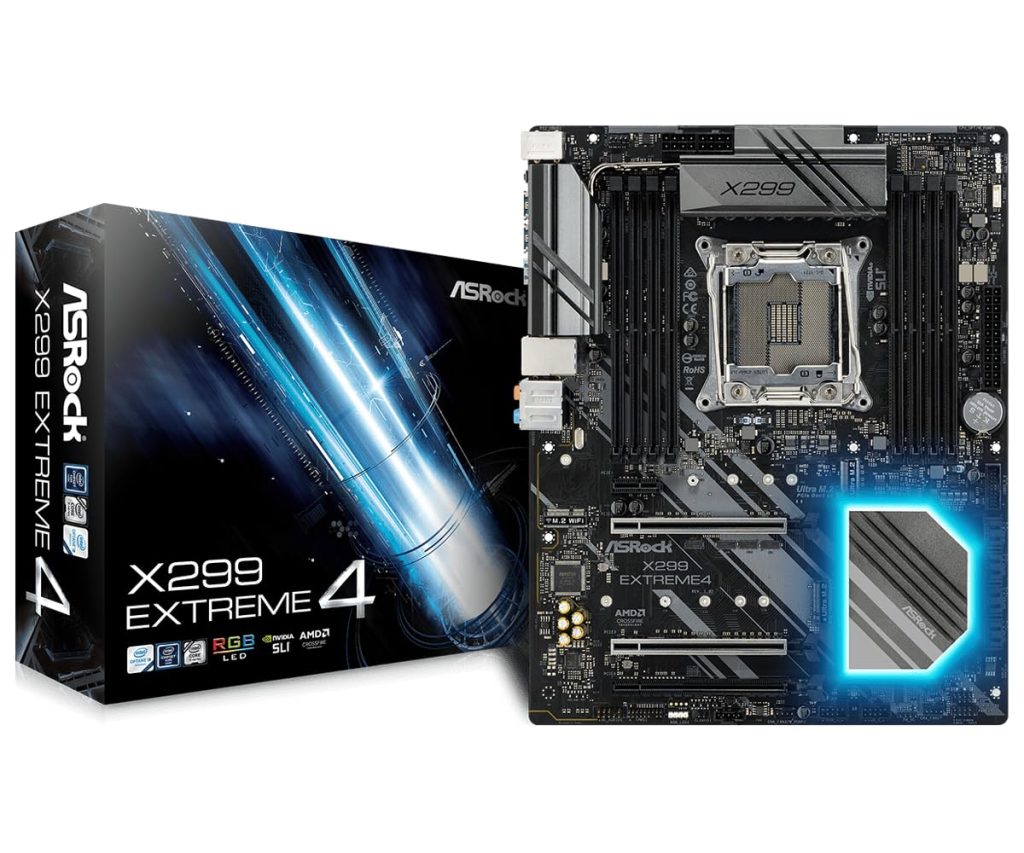
The ASRock X299 Extreme4 is an ATX motherboard built around Intel’s X299 chipset, designed for the LGA 2066 socket and compatible with Intel’s Core X-Series processors. Positioned as a mid-range option in the X299 lineup, it aims to balance features and price for users who need more PCIe lanes and memory capacity than mainstream platforms offer. In practice, this board is often found in workstations handling video editing, 3D rendering, or virtual machines, as well as in enthusiast builds where multiple GPUs or high-speed storage are required.
At its core, the X299 Extreme4 supports quad-channel DDR4 memory across eight DIMM slots, with official speeds up to 4400MHz (OC). That’s a significant step up from dual-channel mainstream boards, and it matters for memory-intensive tasks like 4K video editing or running multiple VMs. The CPU socket supports Intel’s Core i7 and i9 processors from the Skylake-X and Cascade Lake-X families, though not all X299 boards work with every CPU out of the box—a BIOS update may be needed for newer chips. ASRock provides BIOS flashback, which helps, but it’s still a potential hassle if you’re upgrading an older board.
For expansion, the board offers four PCIe 3.0 x16 slots. The lane distribution depends on the CPU: with a 44-lane chip, you can run x16/x16/x8 or x16/x8/x8/x8 configurations; with a 28-lane CPU, it’s more limited. That flexibility is a key reason to choose X299 over a mainstream Z390 or Z490 board, especially if you plan to use multiple graphics cards or high-performance add-in cards. There are also two M.2 slots, both supporting PCIe 3.0 x4 and SATA drives, plus eight SATA III ports. Storage options are plentiful, though the M.2 slots share bandwidth with some SATA ports—a common trade-off on X299 boards.
Networking is handled by a single Intel Gigabit LAN port, which is adequate for most home and office environments but lacks the 2.5G or 10G options found on some competing boards. Wireless is not included, so you’ll need to add a card if you require Wi-Fi. Audio is provided by the Realtek ALC1220 codec, which is a standard choice for this tier and delivers decent sound quality for gaming and media consumption, though audiophiles might prefer a dedicated sound card.
The rear I/O includes USB 3.1 Gen2 Type-A and Type-C ports, alongside USB 3.1 Gen1 and USB 2.0. There’s also a PS/2 combo port for legacy peripherals, which some users still appreciate. The board features ASRock’s Polychrome RGB lighting with headers for additional strips, but the onboard lighting is subtle and can be disabled if you prefer a stealthier look.
One limitation is the lack of Thunderbolt 3 support out of the box; while there is a Thunderbolt header, you need to purchase a separate add-in card, which adds cost and occupies a PCIe slot. Additionally, the VRM cooling is adequate for stock operation but may struggle with heavily overclocked high-core-count CPUs like the i9-10980XE under sustained loads. The heatsinks are not as robust as those on higher-end X299 boards, so if you plan to push a 16-core or 18-core chip to its limits, you might need to consider a step-up model.
Compared to a mainstream Z390 board, the X299 Extreme4 offers more PCIe lanes and memory channels, but it comes at a higher platform cost and typically requires a more expensive CPU. It’s also larger and consumes more power. If you don’t need the extra lanes or quad-channel memory, a Z390 or Z490 board with a Core i9-9900K or i7-10700K will likely be faster in gaming and cost less. However, for tasks that benefit from many cores and high memory bandwidth, X299 remains a viable option, and the Extreme4 provides a relatively affordable entry point.
Who is this for? It suits professionals and prosumers who need a workstation-grade foundation without stepping up to server-class hardware. Video editors working with 4K or 8K footage, 3D artists, and software developers running multiple virtual machines will find the platform’s strengths align well with their workloads. It’s also a reasonable choice for enthusiasts who want to build a multi-GPU setup for compute tasks, though gamers are better served by mainstream platforms. Who is it not for? Casual users, budget builders, and those who only game and browse the web will see little benefit from X299’s extra features. Also, if you require Thunderbolt 3 or 10G networking without add-in cards, you’ll need to look at more expensive X299 boards or consider a different platform.
In summary, the ASRock X299 Extreme4 is a functional, no-frills motherboard that covers the essentials of the X299 platform. It doesn’t excel in any single area, but it doesn’t have glaring flaws either. For the right user, it provides a reliable base for a high-core-count workstation without unnecessary extras that drive up the price.