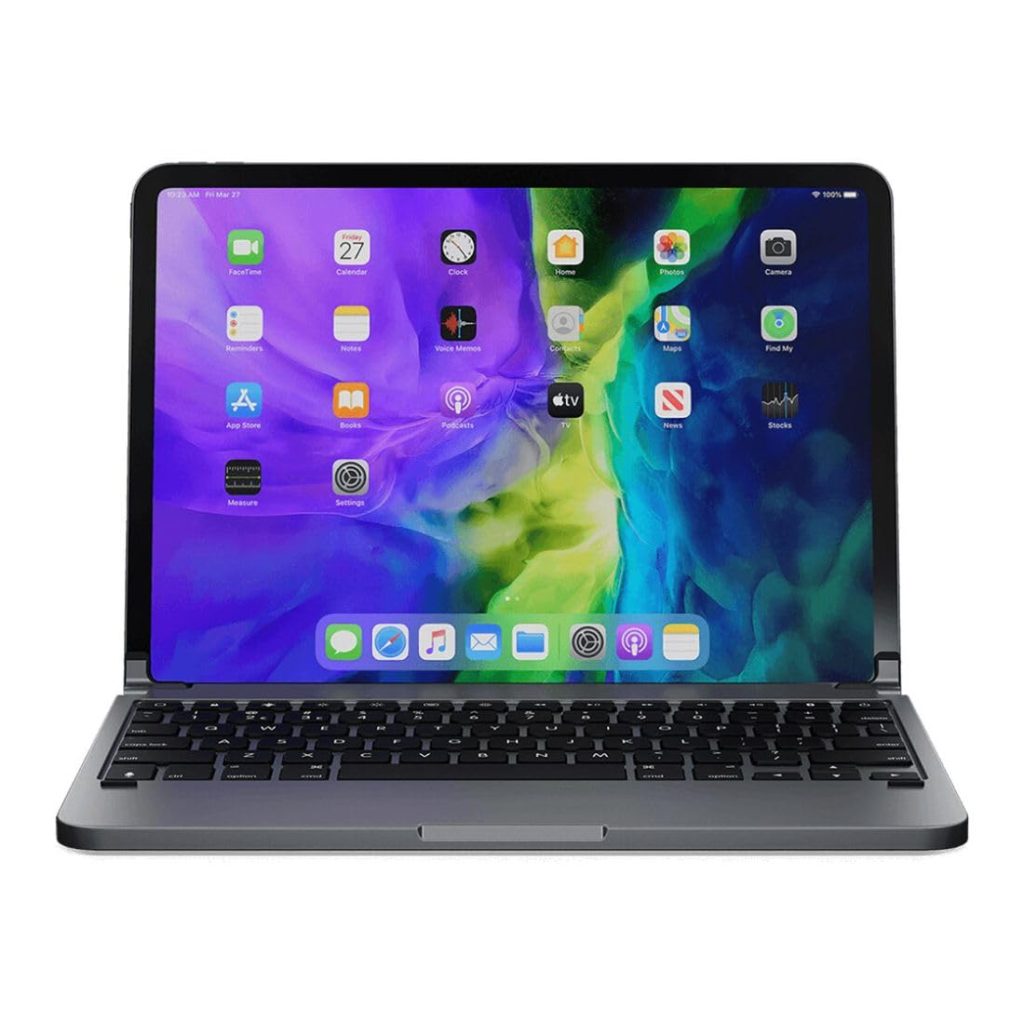
The Brydge Pro 11 is a Bluetooth keyboard designed specifically for the 11-inch iPad Pro (1st and 2nd generation). It aims to turn the tablet into a more laptop-like device, with a rigid aluminum build, backlit keys, and a hinge that holds the iPad at various angles. But does it deliver a practical typing experience, or are there too many compromises? We spent time testing it to find out.
From the moment you attach the Brydge Pro 11, the difference from a typical folio keyboard is obvious. The keyboard base is made of aluminum, giving it a solid, weighty feel that doesn’t flex when typing. The keys themselves have a decent amount of travel and a satisfying click, much closer to a traditional laptop keyboard than the flat, shallow keys on Apple’s Smart Keyboard Folio. The backlighting is a nice touch for low-light environments, with three brightness levels that are adjusted via a dedicated key. Battery life is rated at up to 12 months of typical use, which seems plausible given the keyboard sleeps when not in use and charges via USB-C. In our testing, we didn’t need to charge it during a week of regular use.
One of the standout features is the hinge. It’s a clamshell design that grips the iPad securely, and you can set the viewing angle from about 0 to 180 degrees. This is more flexible than the limited angles offered by many folio-style keyboards. The hinge also allows you to fold the keyboard back and use the iPad as a tablet, though you’ll need to detach it completely if you want to use it without the keyboard. The Brydge Pro 11 connects via Bluetooth, and pairing is straightforward. It also has a row of function keys for media controls, brightness, and home button, which adds convenience.
However, there are some notable limitations. The first is weight. The Brydge Pro 11 adds significant bulk to the iPad Pro. Together, they weigh more than a MacBook Air, which defeats some of the portability appeal of a tablet. If you’re looking for a lightweight keyboard for occasional typing, this might be overkill. Second, the hinge mechanism, while sturdy, requires some force to open and close, and it can be awkward to detach the iPad. Over time, we wonder about the durability of the rubberized grips that hold the iPad in place, as they could wear out or attract dust. Third, the keyboard does not provide protection for the back of the iPad when detached, so you’ll need a separate case if you want full coverage. Finally, the Brydge Pro 11 is priced higher than many alternatives, including Apple’s own Smart Keyboard Folio, which is lighter and offers similar functionality, albeit with a less satisfying typing experience.
In real-world use, the Brydge Pro 11 shines for tasks like writing emails, drafting documents, or taking notes in meetings. The backlit keys are helpful when working on a dimly lit plane or in a coffee shop. The ability to adjust the screen angle makes it comfortable to use on a lap or desk. But for casual media consumption, you’ll likely want to remove the keyboard, which means finding a place to store it. The Brydge Pro 11 is not ideal for artists or those who frequently switch between typing and drawing, as the setup is not quick to detach. It’s also not suitable for users who prioritize a slim, minimalist profile. Instead, it’s best for people who want a laptop-like typing experience and don’t mind the extra weight and cost.
Compared to other options, the Brydge Pro 11 sits in a niche. The Apple Smart Keyboard Folio is lighter and doubles as a cover, but its keys are less tactile and it offers fewer viewing angles. The Logitech Slim Folio Pro is another alternative, with a similar clamshell design and backlit keys, but it uses a different hinge mechanism and often costs less. If you need a keyboard that can also serve as a stand for drawing, the Brydge Pro 11’s hinge might get in the way. If you primarily type, it’s a strong contender, but try to test it in person to see if the weight and hinge work for you.
In summary, the Brydge Pro 11 delivers a typing experience that’s among the best for the iPad Pro, but it comes with trade-offs in portability, protection, and price. It’s a solid choice for dedicated typists who want a laptop-like feel, but those seeking a lightweight, versatile accessory may want to look elsewhere.