Laptop screens break. It happens—a drop, a stray cable, or an accidental elbow to the lid. For owners of HP’s ProBook 450 G9, a business-class laptop that’s popular in offices and schools, the SCREENARAMA replacement screen offers a way to avoid the cost of a new machine or an expensive repair shop. But is it the right choice for you? This review examines what you get, how it performs, and where it falls short.
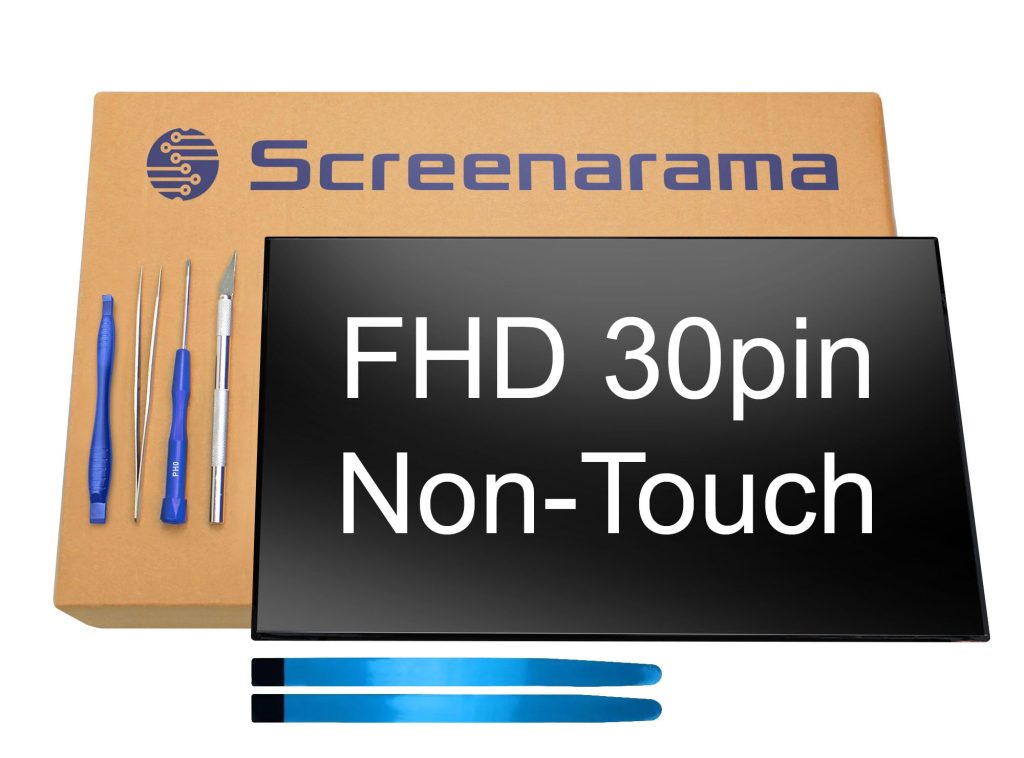
First, what exactly is this? SCREENARAMA sells a replacement LCD panel designed to fit the HP ProBook 450 G9. It’s not a complete assembly; you’re getting the raw screen, not the bezel, hinges, or webcam. That means you’ll need to transfer those parts from your old display or buy them separately. The panel itself is a 15.6-inch, 1920×1080 resolution, IPS display with a matte finish. It connects via a 30-pin eDP cable, which is standard for this model. The kit typically includes the screen and sometimes a basic tool kit, but you’ll need to check the specific listing for what’s included.
In real-world use, this screen is meant for anyone who needs to get their ProBook 450 G9 back in working order without breaking the bank. It’s a DIY repair, so you’ll need some technical aptitude. If you’ve never opened a laptop before, this might not be the best first project—replacing a screen involves careful disassembly, dealing with fragile connectors, and avoiding static damage. But for those comfortable with a screwdriver and a YouTube tutorial, it’s a manageable task that can save hundreds compared to a professional repair.
Functionally, the screen performs as expected for a mid-range IPS panel. Colors are decent, viewing angles are good, and the 1080p resolution is sharp enough for everyday tasks like document editing, web browsing, and video calls. It’s not a high-refresh-rate or wide-gamut display, so it won’t satisfy gamers or creative professionals who need accurate colors. Brightness is around 250 nits, which is typical for business laptops—fine indoors, but washed out in direct sunlight. The matte finish helps reduce glare, which is a plus for office environments.
One limitation is that SCREENARAMA doesn’t manufacture the panel; they source it from various suppliers. That means you might get a different brand (like BOE, LG, or AUO) depending on stock. While all should meet the same specs, there can be slight variations in color temperature or uniformity. Some users have reported minor backlight bleed, but that’s common with replacement screens and often within acceptable limits. Also, the screen doesn’t come with any warranty beyond the seller’s return policy—typically 30 days. If it fails after that, you’re out of luck. That’s a trade-off compared to buying directly from HP, which would include a longer warranty but at a much higher price.
Compared to other options, this screen sits in the middle ground. OEM screens from HP are more expensive but guaranteed to match the original exactly. Cheaper generic panels on marketplaces like eBay or AliExpress might save a few bucks but come with higher risk of defects or compatibility issues. SCREENARAMA has a decent reputation for providing correct parts and packing them well, but they’re not flawless. If you’re on a tight budget and can’t afford OEM, this is a reasonable compromise.
Who is this for? It’s ideal for IT departments or individuals who regularly repair laptops and want a cost-effective replacement. It’s also good for someone with a cracked screen who doesn’t want to scrap an otherwise functional laptop. Who is it not for? If you’re not comfortable with DIY repairs, or if your laptop is still under warranty (opening it might void it), you should consider professional service or OEM parts. Also, if you need a high-quality display for color-critical work, this isn’t the panel for you—look for a higher-end replacement or a different laptop altogether.
Installation is straightforward but requires care. You’ll need to remove the bezel, disconnect the old screen, transfer any brackets or mounting tabs, and connect the new panel. The connectors are fragile, so patience is key. SCREENARAMA includes instructions, but they’re basic—YouTube videos for the ProBook 450 G9 are more helpful. Expect the whole process to take 30-60 minutes if you’re experienced, longer if you’re not.
In summary, the SCREENARAMA replacement screen for the HP ProBook 450 G9 is a practical solution for a common problem. It’s not without drawbacks—no long-term warranty, potential panel variations, and the need for DIY skills—but it gets the job done at a fraction of the cost of OEM. If you’re handy and budget-conscious, it’s worth considering. If you want peace of mind and a guaranteed match, save up for the official part.