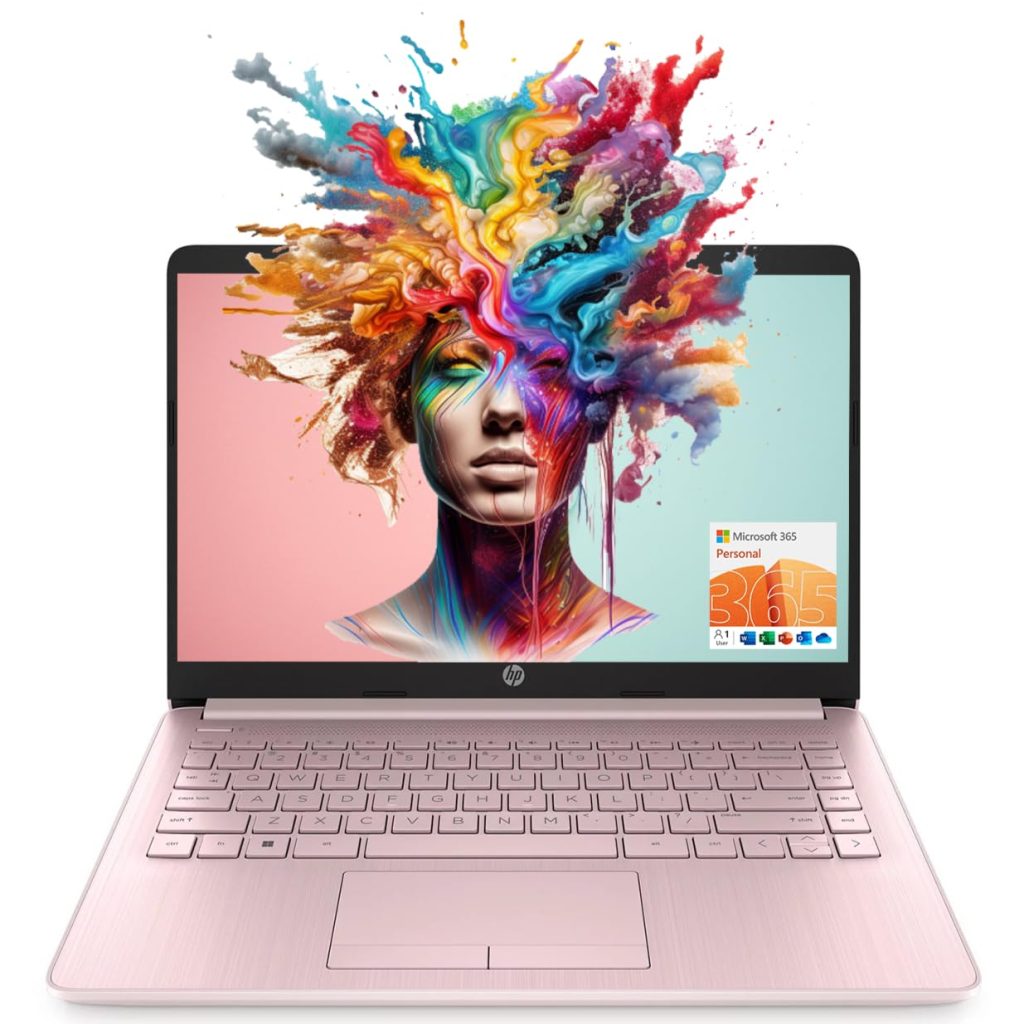
The HP 14-inch laptop with an Intel Quad-Core N4120 processor, 8GB of RAM, and 64GB of eMMC storage is a machine that clearly targets a specific segment of the market: users who need a functional, low-cost device for straightforward tasks. It comes bundled with a one-year subscription to Microsoft 365, which adds some immediate value for students or business users who rely on Office apps. The pink color option also gives it a distinct look, though that’s purely a matter of personal preference.
In real-world use, this laptop handles basic activities like web browsing, email, word processing, and streaming video without much trouble. The 14-inch HD display is adequate for reading documents or watching YouTube, but don’t expect vibrant colors or sharp detail—it’s a standard panel that gets the job done. The 8GB of RAM is a positive note at this price point, as it allows for a few browser tabs and applications to run simultaneously without immediate slowdowns. However, the 64GB eMMC storage is a significant limitation. After Windows 11 and pre-installed software, you’ll have perhaps 25–30GB free. This fills up quickly with documents, photos, or any larger programs, so you’ll likely rely on cloud storage or external drives.
Performance with the Intel N4120 processor is where expectations need to be grounded. This is a quad-core chip designed for efficiency, not speed. It’s fine for light office work, but multitasking with more than a handful of apps or trying to edit large spreadsheets can lead to noticeable lag. Gaming is not a realistic use case beyond very casual, low-end titles. The eMMC storage also contributes to slower file transfer and boot times compared to SSDs. That said, for a student taking notes in class or a business user checking emails and writing reports, the performance is acceptable.
One of the more practical features is the inclusion of an RJ-45 Ethernet port, which is increasingly rare on budget laptops. This is useful for stable wired connections in dorm rooms or offices where Wi-Fi might be unreliable. The HDMI port also allows for easy connection to an external monitor, which can help with productivity. The webcam is standard—fine for video calls but not impressive in low light. Wi-Fi connectivity is reliable for typical use.
- Strengths: Affordable price, 8GB RAM, includes Microsoft 365 for a year, has Ethernet and HDMI ports, lightweight design.
- Weaknesses: Limited 64GB eMMC storage, slow processor for anything beyond basics, display lacks sharpness and color accuracy, battery life is average at around 6–7 hours of mixed use.
Compared to a Chromebook at a similar price, this HP laptop offers the full Windows 11 experience and Microsoft 365, which can be a deciding factor for those who need specific Windows software. Chromebooks often have better battery life and more responsive performance for web-based tasks, but they rely on Google’s ecosystem. This HP is a better fit if you need traditional desktop apps, but the trade-off is lower overall speed and storage limitations.
Who is this laptop for? It suits students on a tight budget who primarily use web browsers and Office apps, or business users needing a secondary machine for light work. It’s also a decent option for someone who wants a simple Windows device for casual home use. Who should avoid it? Anyone who needs to run demanding software, store large files locally, or multitask heavily. It’s also not ideal for creative work like photo editing or video rendering. If you can stretch your budget slightly, a laptop with a proper SSD and a more capable processor (like an Intel i3 or Ryzen 3) would offer a noticeably smoother experience.
Overall, the HP 14-inch laptop is a functional, no-frills machine that delivers on its basic promises. It’s not exciting, and it has clear limitations, but for the price and the included Microsoft 365 subscription, it’s a reasonable choice for the right user. Just be aware of its boundaries before buying.