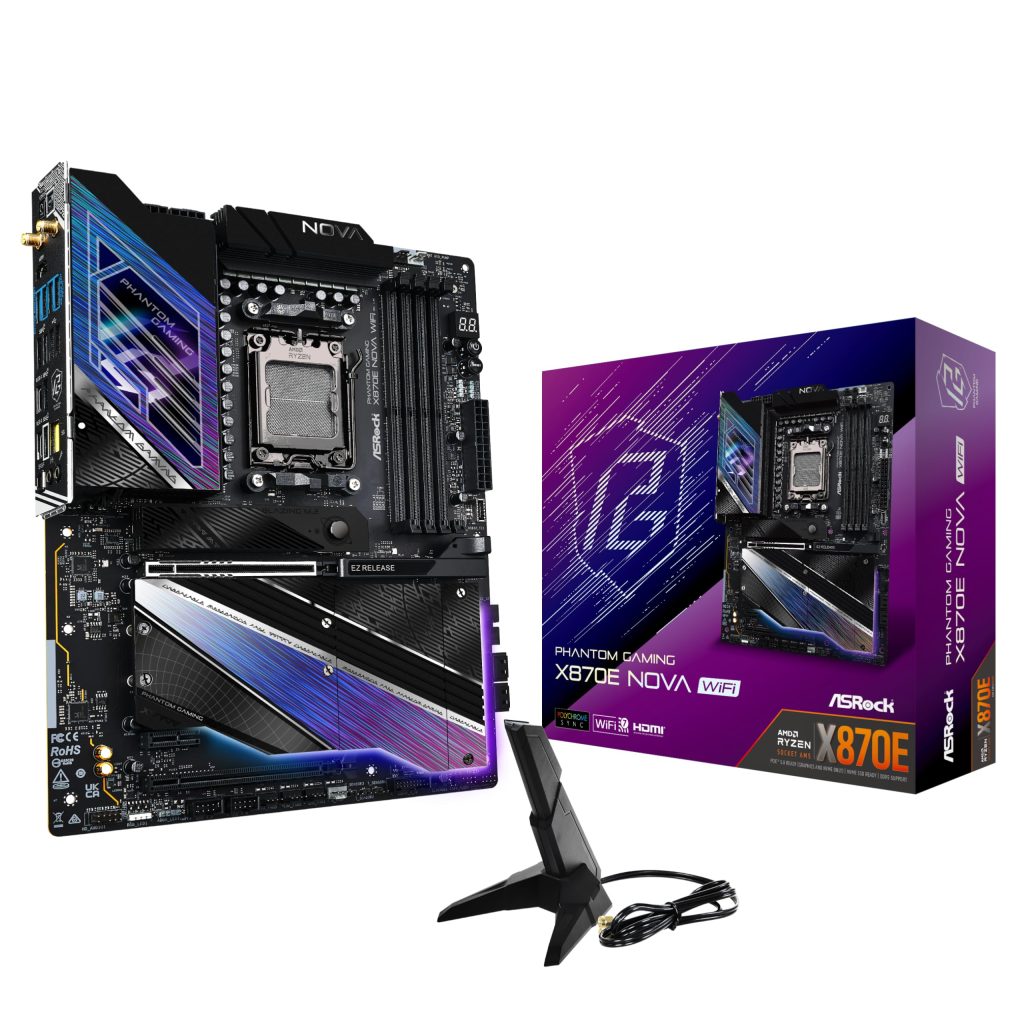
The X870E chipset arrived alongside AMD’s Ryzen 9000 series, and most boards carrying it sit in the premium tier. ASRock’s Phantom Gaming X870E Nova WiFi slots into that crowded field with a long feature list: DDR5 support rated to 8200 MHz (via overclocking), a 256 GB maximum memory capacity, USB4, WiFi 7, and a full ATX layout. On paper it looks like a direct answer to the mid-to-upper-range boards from Asus, MSI, and Gigabyte. In practice, it behaves like a board built for people who enjoy tuning and don’t mind digging through firmware to get there.
The first thing worth understanding is who this board is actually for. The X870E platform brings mandatory USB4, more PCIe 5.0 lanes, and better connectivity than the outgoing X670E generation, but it also costs more. If you’re building a straightforward gaming machine around a Ryzen 7 9700X or 7800X3D, most of the Nova’s headroom will go unused. If you’re pairing it with a Ryzen 9 9950X and doing compile jobs, virtualization, or heavy multitasking, the VRM and memory topology start to matter.
In real-world use, this is a board that lives in a tower case with a large air cooler or AIO, a GPU occupying the primary PCIe 5.0 x16 slot, and at least one or two NVMe drives. The layout is conventional ATX, and ASRock has kept the CPU socket area reasonably clear, so large coolers fit without fighting the VRM heatsinks. The M.2 shielding uses a tool-less latch system on most slots, which is a small quality-of-life improvement that becomes obvious the first time you swap a drive.
Key functional details, stated plainly:
- Memory: Four DIMM slots, DDR5, rated up to 8200 MHz through EXPO overclocking and 256 GB maximum capacity. Reaching 8200 MHz realistically depends on the kit and the CPU’s memory controller; two-DIMM configurations are far more likely to hit that than four.
- Expansion: PCIe 5.0 x16 for the graphics card, plus additional PCIe slots and multiple M.2 sockets, at least one of which is PCIe 5.0.
- Connectivity: USB4 (40 Gbps) on the rear I/O, WiFi 7, 2.5 Gb Ethernet, and a generous USB port count.
- Power delivery: A substantial VRM with heatsinks that should handle a 16-core Ryzen without throttling under sustained all-core loads.
- Firmware: ASRock’s UEFI with EXPO profiles and the usual fan and voltage controls.
Performance expectations should be set honestly. The motherboard contributes almost nothing to frame rates; gaming benchmarks will be within margin of error of any competent X870E board. What it does affect is memory stability, boot consistency, and how well it handles sustained CPU loads. The 8200 MHz rating is an overclocking ceiling, not a guarantee, and buyers should expect to run 6000–6400 MHz kits with tight timings for the most reliable experience. Pushing higher is possible but involves trial and error with voltages and training times.
The main trade-off here is price and firmware maturity. X870E boards are expensive relative to B650 or even X670E options, and the Nova’s value proposition depends on whether you need USB4 and PCIe 5.0 across multiple devices. ASRock’s BIOS has improved considerably, but it still isn’t as polished or as well documented as some competitors’ interfaces, and early firmware on new chipsets often needs a few updates before memory training settles down. Buyers should plan to check for BIOS updates before finalizing a build.
Compared with a B650E board, the Nova offers more lanes, more USB, and USB4, but costs noticeably more for performance that most users won’t notice. Compared with flagship X870E boards from other vendors, it sits a step below in extras like elaborate RGB ecosystems or bundled accessories, while covering the core functionality. It’s a middle path, not a halo product.
This board suits builders who want a current-generation platform with strong power delivery, USB4, and room to grow into a high-core CPU, and who are comfortable with BIOS tuning. It is not the right pick for budget-focused builds, for anyone who wants plug-and-play memory at extreme speeds, or for users who mainly game and would rather put the savings into a GPU. Those buyers are better served by a cheaper chipset and a simpler board.